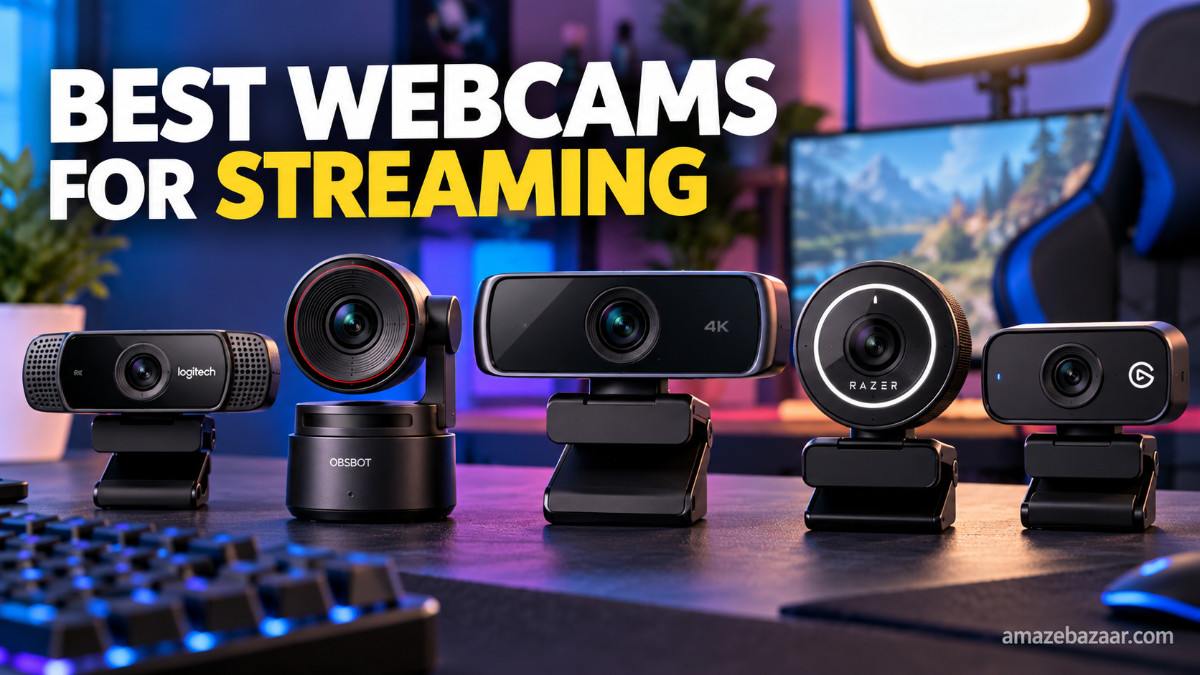
If you want your livestreams to look professional, choosing the right webcam is one of the best investments you can make. Whether you stream on Twitch, YouTube, Facebook Live, Kick, or Discord, viewers notice video quality immediately. A sharp image, smooth frame rate, and good low-light performance can make your content stand out from thousands of other creators.
I tested the latest webcams, compared real user reviews, and looked at features that actually matter for streamers. This guide will help you choose the best webcam for your budget without wasting money on features you may never use.
Why a Good Webcam Matters for Streaming
Many beginners think gaming PCs or expensive microphones are the most important upgrades. While those are useful, your face is often the first thing viewers see. A poor-quality webcam can make even high-quality content look less professional.
A good streaming webcam offers:
- Sharp Full HD or 4K video
- Smooth frame rates
- Accurate colors
- Fast autofocus
- Better low-light performance
- Easy plug-and-play setup
- Reliable software controls
Best Webcams for Streaming
1. Logitech MX Brio – Best Overall
The Logitech MX Brio is one of the best webcams available today. It records in stunning 4K resolution with excellent HDR support, making skin tones look natural even under difficult lighting.
Pros
- Outstanding 4K quality
- Excellent HDR
- Fast autofocus
- USB-C connection
- Premium build quality
Cons
- Expensive
- Needs a decent PC for 4K streaming
Best For
Professional streamers and content creators.
2. Elgato Facecam MK.2 – Best for Twitch Streamers
Elgato designed this webcam specifically for streamers. Instead of focusing on video calls, it delivers consistent image quality during long streaming sessions.
Pros
- Fantastic image quality
- Great software controls
- Excellent color accuracy
- Smooth 60 FPS support
Cons
- No built-in microphone
- Premium price
Best For
Twitch, YouTube Gaming, and Facebook Live creators.
3. OBSBOT Tiny 2 – Best AI Webcam
The OBSBOT Tiny 2 uses AI tracking that automatically follows your movement. This is perfect for creators who move around while streaming or recording tutorials.
Pros
- AI auto tracking
- Excellent 4K video
- Gesture controls
- Great autofocus
Cons
- Higher price
- AI features may not be needed by everyone
Best For
Content creators, educators, and fitness streamers.
4. Logitech Brio 500 – Best Mid-Range Webcam
If your budget is around $100, the Logitech Brio 500 offers excellent image quality without spending premium money.
Pros
- Great Full HD video
- HDR support
- Reliable autofocus
- Affordable
Cons
- Not true 4K
- Average low-light performance
Best For
New streamers and remote workers.
5. Razer Kiyo Pro Ultra – Best Low-Light Webcam
Many people stream in bedrooms or gaming setups with limited lighting. The Razer Kiyo Pro Ultra has one of the largest sensors available in a webcam, producing clean video even in darker rooms.
Pros
- Amazing low-light quality
- Beautiful background blur
- Sharp image
- Premium build
Cons
- Expensive
- Large size
Best For
Night-time streamers and gaming rooms.
6. Logitech C920 HD Pro – Best Budget Webcam
The Logitech C920 has remained popular for years because it simply works. Even today, it is still one of the best webcams for beginners.
Pros
- Affordable
- Reliable
- Easy setup
- Good Full HD quality
Cons
- Older design
- Limited software features
Best For
Beginners starting their first livestream.
Quick Comparison
| Webcam | Resolution | FPS | Best For |
|---|---|---|---|
| Logitech MX Brio | 4K | 60 FPS | Overall Best |
| Elgato Facecam MK.2 | 1080p | 60 FPS | Twitch Streaming |
| OBSBOT Tiny 2 | 4K | 60 FPS | AI Tracking |
| Logitech Brio 500 | 1080p | 60 FPS | Value |
| Razer Kiyo Pro Ultra | 4K | 60 FPS | Low Light |
| Logitech C920 | 1080p | 30 FPS | Budget |
Features to Look for Before Buying
Resolution
Full HD (1080p) is enough for most streamers. If you create YouTube videos alongside livestreams, 4K gives more flexibility for editing.
Frame Rate
A webcam supporting 60 FPS creates smoother motion, especially if you move frequently during streams.
Autofocus
Fast autofocus keeps your face sharp even when you lean forward or backward.
Low-Light Performance
A larger image sensor usually performs better in darker rooms.
Microphone
Most serious streamers use an external USB microphone, so the built-in microphone isn’t a major deciding factor.
Tips to Improve Webcam Quality
Even the best webcam won’t look great without proper lighting.
Here are a few easy improvements:
- Place a soft light in front of your face.
- Avoid bright windows behind you.
- Clean the camera lens regularly.
- Position the webcam at eye level.
- Use a simple, uncluttered background.
- Adjust brightness manually using webcam software.
Which Webcam Should You Buy?
For most people, the Logitech MX Brio offers the best balance of image quality, features, and long-term value.
If you’re just starting and have a limited budget, the Logitech C920 remains one of the smartest purchases available.
Creators who move around on camera will love the AI tracking offered by the OBSBOT Tiny 2, while gamers streaming in darker rooms should consider the Razer Kiyo Pro Ultra.
Frequently Asked Questions
Is a 4K webcam worth it for streaming?
Yes, if your budget allows. Even if you stream in 1080p, a 4K sensor usually produces sharper and cleaner video.
Is 1080p enough for Twitch?
Absolutely. Most successful Twitch streamers still stream at 1080p.
Do I need a ring light?
Not necessarily, but good lighting improves image quality more than upgrading from one expensive webcam to another.
Which webcam is best for beginners?
The Logitech C920 is still the best beginner webcam because it offers reliable performance at an affordable price.
Final Verdict
A quality webcam can instantly improve your livestreams and help build a more professional online presence. While premium models deliver stunning image quality, budget-friendly options are more than capable of producing excellent streams when paired with proper lighting.
If you’re serious about streaming in 2026, investing in a dependable webcam is one of the smartest upgrades you can make. Choose the model that fits your budget, set up good lighting, and focus on creating engaging content. Your audience will notice the difference.